


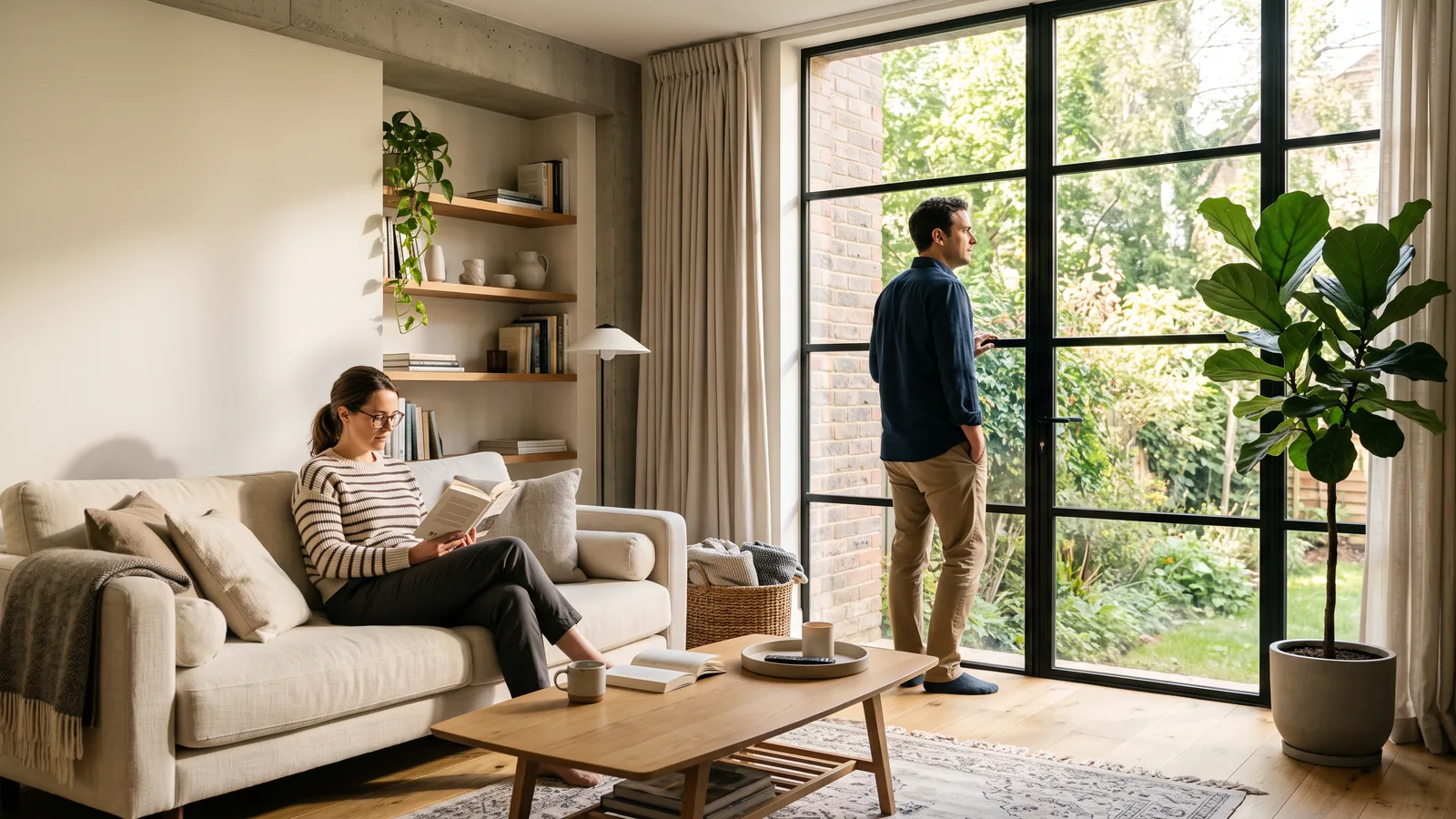
The difference between a cold architectural render and one that sells a space often comes down to a single element: people. Figures give scale, suggest lifestyle, and make empty rooms feel inhabited. This guide covers everything you need to know about placing 3D people in both interior and exterior architectural visualizations.
Why 3D People Matter in Arch Viz
Human figures serve three functions in a render:
- Scale reference — a 1.75 m figure instantly tells the viewer how large a room or building is.
- Lifestyle narrative — a woman reading on a sofa tells a story that furniture alone cannot.
- Depth layering — foreground, mid-ground and background figures create visual depth without post-processing tricks.
Photogrammetry-scanned models like those on Renderbot outperform hand-modeled figures because they capture real skin texture, natural clothing folds, and authentic poses that look convincing under any lighting setup.
Interior Renders: Placement Rules
1. Scale accuracy first
Import the model and check that an average adult figure reaches 1.7–1.8 m in your scene units. A common mistake is to scale figures to “look right” rather than to match real proportions — this creates an uncanny feeling the client may not be able to name but will instinctively dislike.
2. One figure per 25–30 m²
For a living room of 40 m², one to two people is enough. More than that creates visual noise and shifts focus from the architecture. Use seated figures for relaxed domestic scenes; standing figures near windows or bookshelves suggest casual movement.
3. Avoid eye contact with the camera
Figures that look directly at the render camera feel posed and artificial. Choose models in profile or three-quarter view, or facing away. This creates the effect that you are observing a real scene rather than looking at a staged photograph.
Tip: In V-Ray and Corona, place your figures on a separate layer. This lets you adjust their shadow intensity independently — people often cast slightly softer shadows than hard furniture, and blending them manually improves realism.
Exterior Renders: Different Rules Apply
Distance and silhouette
In exterior renders, figures are often 20–50 m from camera. At this distance, texture detail becomes invisible — what matters is silhouette, pose variety, and correct scale relative to the building. Use mid-poly models (50–150k polygons) for background figures to keep scene weight manageable.
Cluster for realism
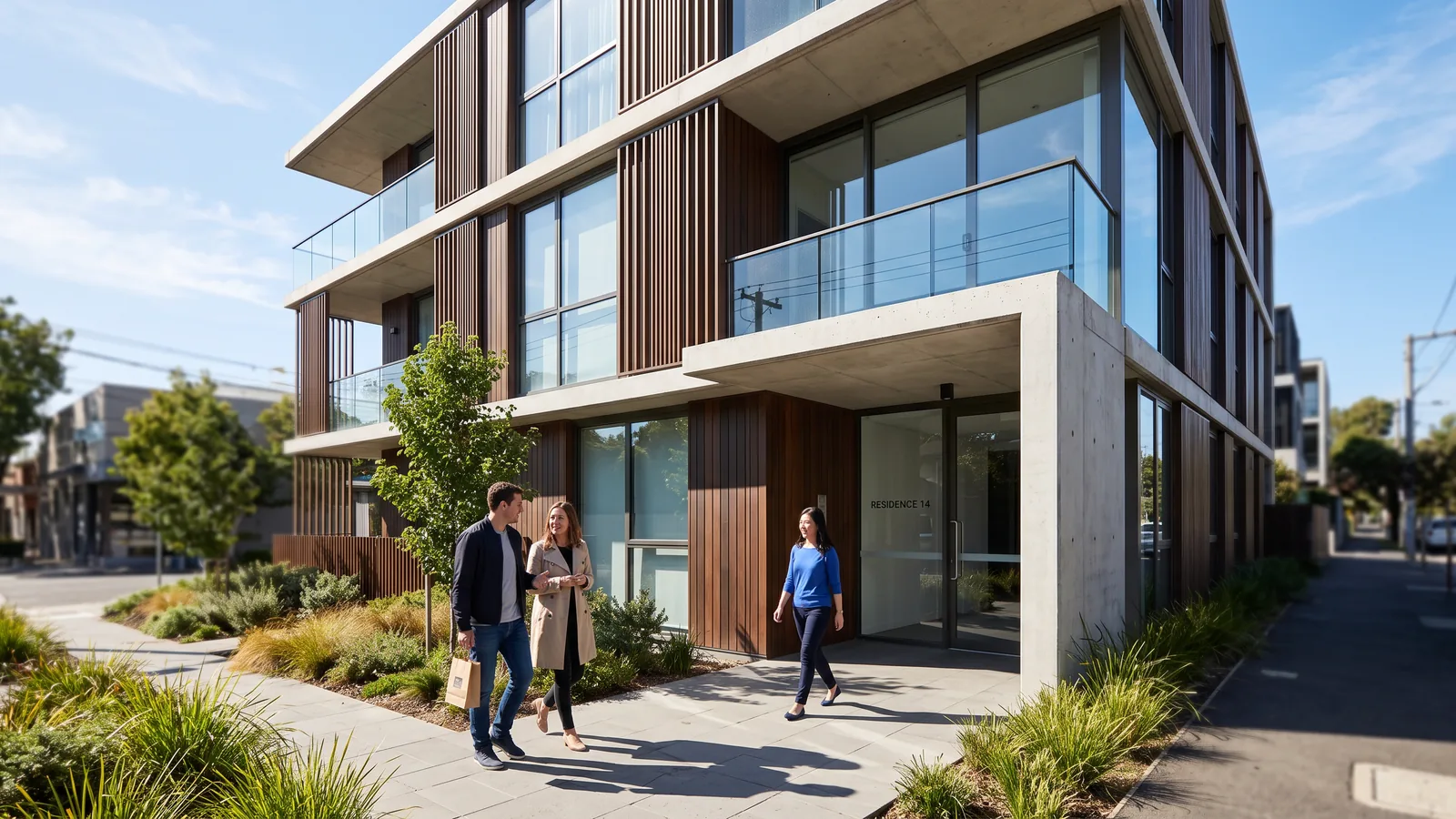
Real people move in social clusters — pairs, small groups, the occasional solo walker. Place figures in natural groupings: two people talking near an entrance, a family crossing the street, one person checking a phone. Evenly spaced, identically posed figures betray the artificial setup immediately.
Shadow direction must match
The most common mistake in exterior renders: the sun angle for the building does not match the shadow cast by the figures. If you drop in a pre-lit cutout figure, its baked shadow may point in the wrong direction. Use 3D models so shadows are computed by the renderer, not baked into the texture.
Which Formats to Use
| Format | Best for | Notes |
|---|---|---|
| OBJ + MTL | V-Ray, Corona, Arnold | Universal; materials import cleanly |
| FBX | 3ds Max, Cinema 4D, Blender | Preserves hierarchy; preferred for complex scenes |
| STL | 3D printing only | No texture data — not useful for rendering |
All models on Renderbot are available in OBJ, FBX, and STL with PBR textures up to 8K. For rendering purposes, OBJ and FBX are your primary options.
Free vs Premium People for Arch Viz
Free figures are useful for early-stage concepts and client presentations where pixel-perfect detail is not critical. For final renders — especially for high-end residential or commercial projects — the extra realism of a premium photogrammetry scan justifies the cost. The difference is visible in fabric texture, hair detail, and how naturally the figure reads under different light conditions.
Renderbot offers both: free photogrammetry models for registration-only access, and premium packs for production renders.
Summary
- Use photogrammetry-scanned figures for maximum realism under any lighting.
- Keep scale exact: 1.75–1.80 m for adults.
- Interior: 1–2 figures per room, avoid eye contact with camera.
- Exterior: cluster people naturally, use 3D shadows, vary poses and distances.
- OBJ or FBX for rendering; STL only for printing.
Browse related 3D models: 3D People Models · Interior People · Human 3D Models · Royalty Free License
Comments
No comments yet.