


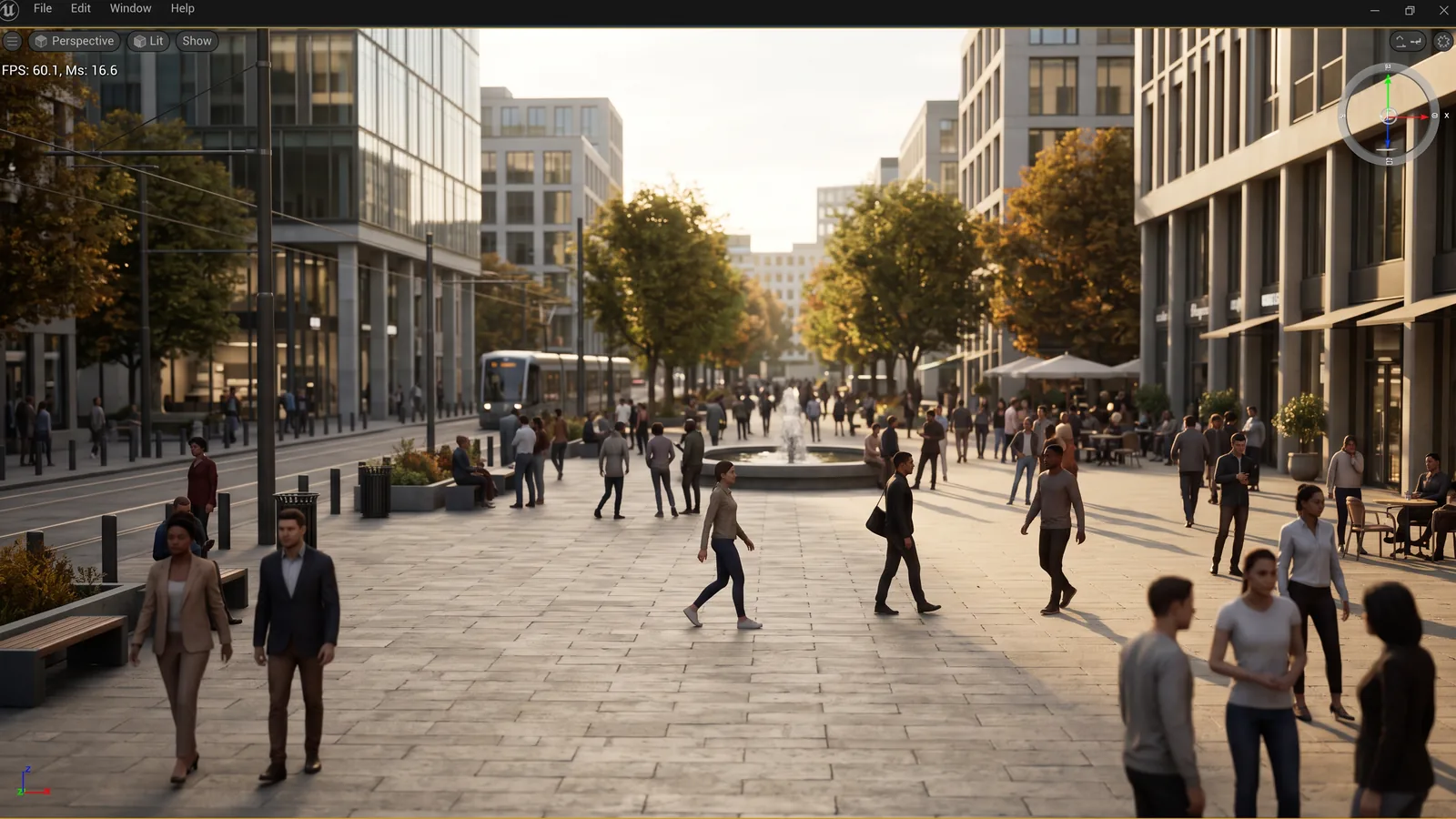
A crowd scene is one of the hardest things to get right in real-time arch viz. Too few people and the space reads as abandoned. Too many and your render tanks. And even if you hit the frame budget, the wrong people placed the wrong way will still make the scene feel wrong.
Here is what actually works, based on what studios use in production.
Why crowd scenes fail
Too much geometry per figure. A scanned human can easily run to 300,000 polygons in its full-resolution version. Twenty of them is 6 million polygons before you have added a single wall. Unreal’s Nanite handles this better than older workflows, but LOD management still matters.
No variation. Twelve copies of the same figure at the same scale, spaced evenly, reads as a simulation, not a space. The eye catches the repetition even when the brain cannot articulate it.
Wrong placement logic. People in real spaces cluster around things — entrances, focal points, shade. A uniform distribution ignores this and the result looks placed, not inhabited.
The technical setup: LODs first
Before you place a single figure, make sure your assets have proper LOD chains. For scanned humans, you want:
- LOD0: full detail, 200k–400k polygons — foreground figures within ~5 meters
- LOD1: medium, 50k–100k — mid-ground figures
- LOD2: low, 10k–20k — background beyond 15 meters
- LOD3: billboard or impostor — distant crowd mass
Unreal’s automatic LOD generation is a reasonable starting point. For scanned humans, it tends to destroy face detail at LOD1 — check the face before you commit to auto-generated LODs.
Niagara for large crowds
For more than about 20 figures, Niagara particle systems are the right tool. They let you distribute figures across a surface using a texture mask, randomize scale to break obvious cloning, randomize mesh selection from an array of different figures, and apply subtle animation to avoid a frozen-crowd look.
The workflow: define a Niagara system, set Mesh Renderer to use an array of your LOD-ready assets, use Spawn Rate and Grid Location modules to distribute them, drive placement with a texture that maps to your scene layout.
Variation on a budget
You do not need 50 unique figures to avoid repetition. You need at least 5–8 distinct figures, scale variation per instance (±5%), rotation variation, and a mix of static poses. For a plaza of 100 figures with 8 unique assets, the eye stops noticing the repetition.
If you are sourcing assets, our library of scanned 3D people includes both standing and walking poses across a range of body types. Browse by context: exterior and urban scenes, city environments, or multi-figure collections that give you enough variety in one purchase. For questions about Unreal-compatible formats, visit the Help Center.
Placement logic
Treat crowd placement as storytelling, not filling. Near entrances: cluster, facing inward or outward. Near seating: seated figures, small groups. Along paths: scattered walking figures. Near focal points: small clusters facing the focal point. Open space: sparser, more directional. One density map sketched in Photoshop — dark where sparse, bright where dense — used as the Niagara spawn mask is usually worth an hour of manual placement.
The goal is a space that reads as lived-in, not as a demonstration of your character count. Fewer figures placed with intention beat many figures placed uniformly every time. Also read our article on 5 arch viz mistakes that often show up alongside poorly placed crowds, and our comparison of MetaHuman vs scanned models to decide which asset type fits your pipeline.
Comments
No comments yet.