


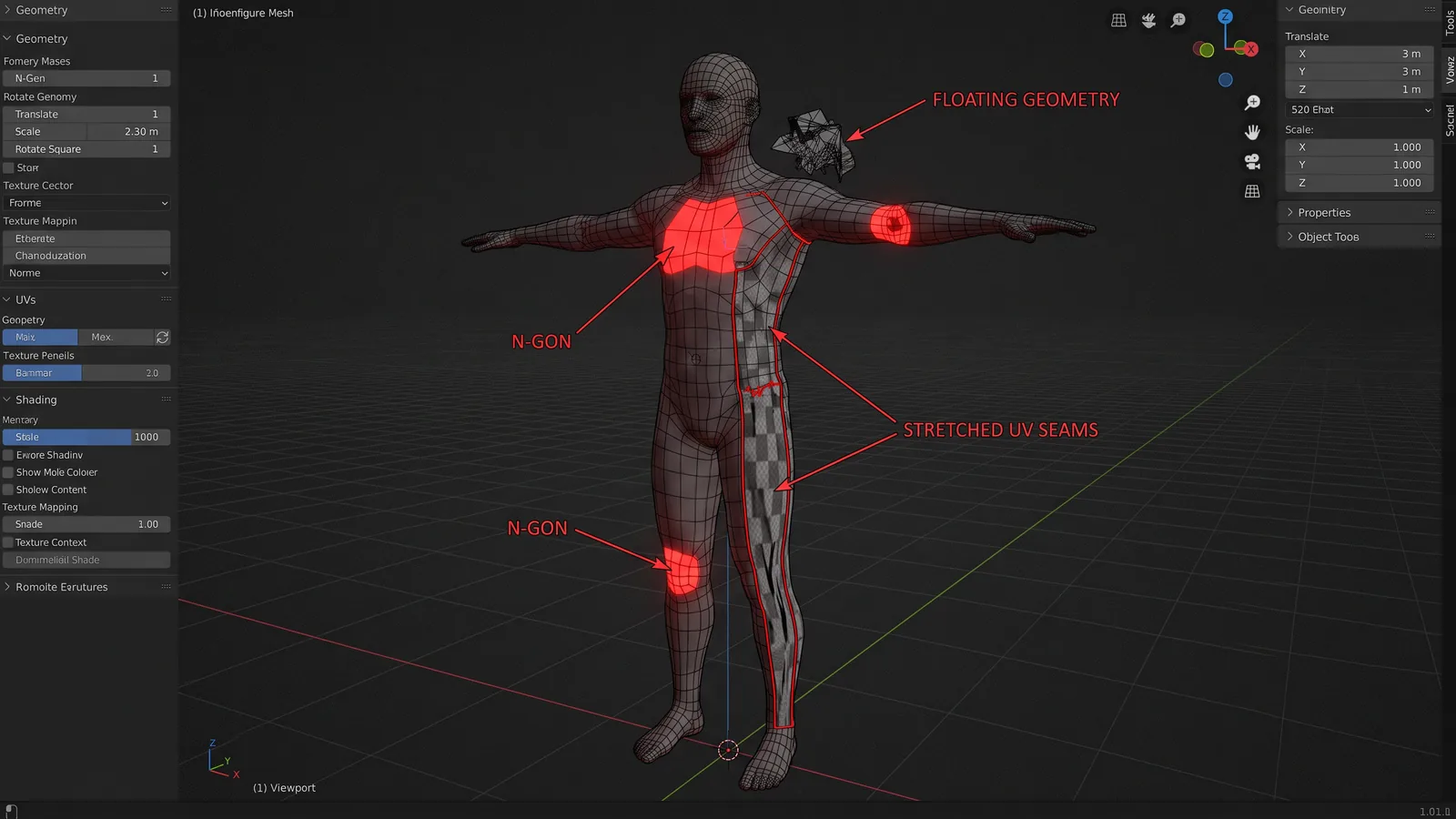
The 3D model marketplace is enormous and quality varies by several orders of magnitude. A model can look good in a rendered preview and fall apart the moment you try to use it. The problems are specific and learnable.
Topology problems
N-gons (polygons with more than 4 sides) look fine in still renders under ideal lighting. Under raking light, subdivision, or animation, they create visible shading artifacts — dark patches, faceted areas, deformation kinks.
All-triangle mesh (“tri-happy topology”) is common in assets converted from ZBrush or photogrammetry output without retopology. Triangles render correctly in most cases but cannot be subdivided cleanly, cannot be rigged effectively, and produce inferior normal map baking.
Floating geometry — disconnected polygons overlapping the main mesh, leftover from cleanup shortcuts. Usually invisible in renders unless you are placing the figure in strong backlight.
UV and texture problems
Overlapping UVs on the same UDIM cause baking and engine import errors. Stretched UV islands — visible as stretched or smeared texture detail in certain areas. Low-resolution textures from a high-poly mesh: the render preview was made with detail not in the delivered texture.
The human figure checklist
- Wireframe shows edge loops following body contours (not random triangles)
- Feet have correct placement on the ground plane (pivot at foot level)
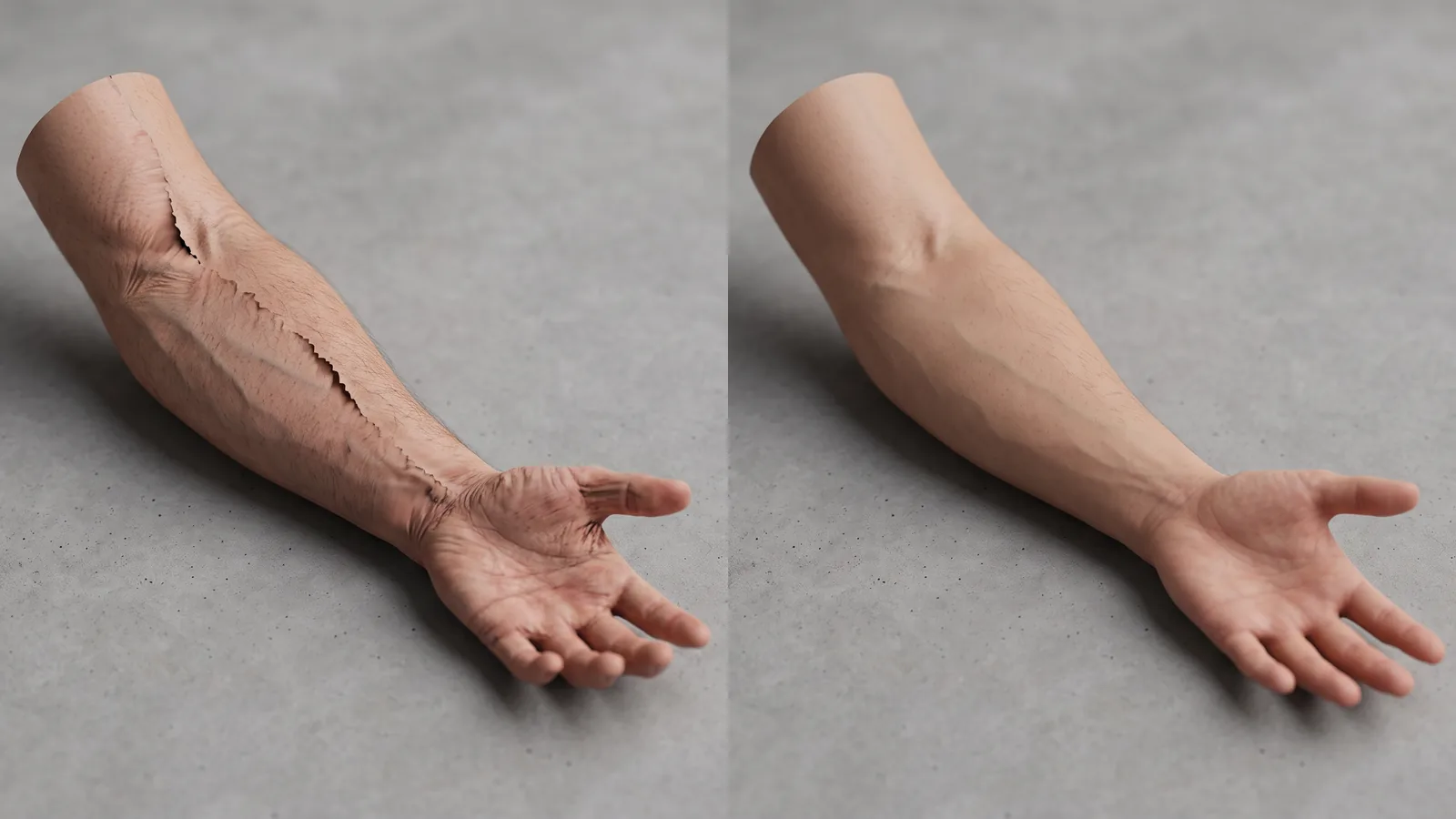
- No visible seams on neck, wrists, or between body and clothing
- Textures in the delivered file match the preview in resolution
- Scale opens correctly in your software (check against a 1.8m reference cube)
- Face topology has clean loops around eyes and mouth
The RenderBOT library provides photogrammetry-scanned human figures that pass this checklist — hand-cleaned topology, properly UV-mapped, and tested in Blender, V-Ray, and Unreal Engine.
Comments
No comments yet.