


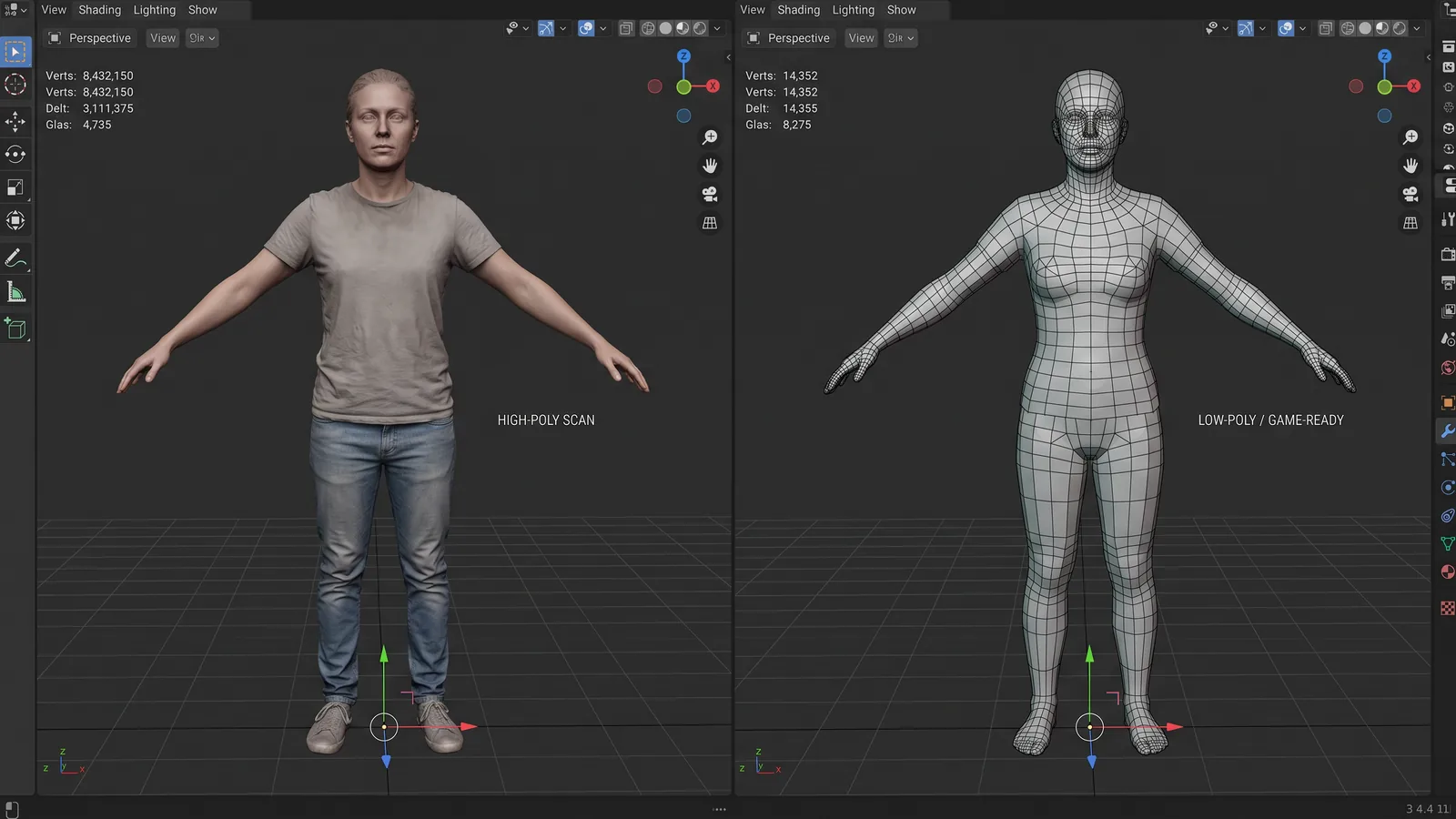
A-pose and low-poly are technical terms that describe how a 3D model is configured, not what it looks like. They indicate where in a production pipeline the model is meant to be used. Getting this wrong — purchasing a low-poly model when you need a scan-resolution base mesh, or licensing a high-polygon scan when you need a game-ready asset — costs time and often requires rework that exceeds the cost of getting the right asset from the start.
What A-pose means and why it matters
A-pose refers to a specific rest position for a 3D human figure: arms out to the sides at roughly 45 degrees from the body, legs slightly apart, palms forward or slightly angled. The name comes from the shape the body makes — approximating the letter A.
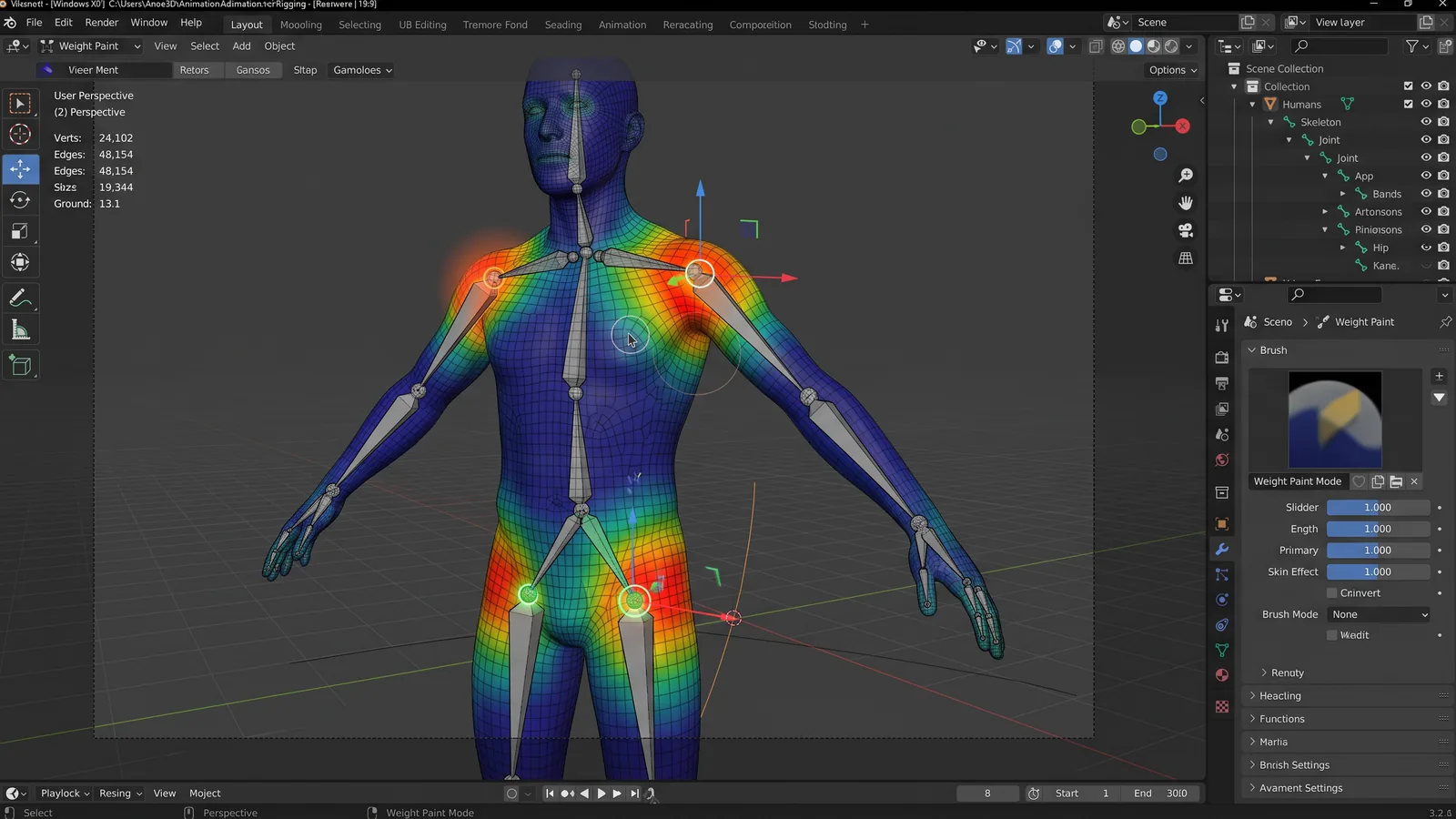
A-pose (along with T-pose, which has arms extended horizontally) is a convention in character pipelines. The figure in a neutral rest position is used as the starting point for:
Rigging. The skeleton is built and the skin weights are assigned while the model is in A-pose. The 45-degree arm angle is preferred over T-pose because it reduces skin deformation artifacts at the shoulder when the arm is raised — the shoulder geometry sits closer to its natural position at 45 degrees than at 90 degrees.
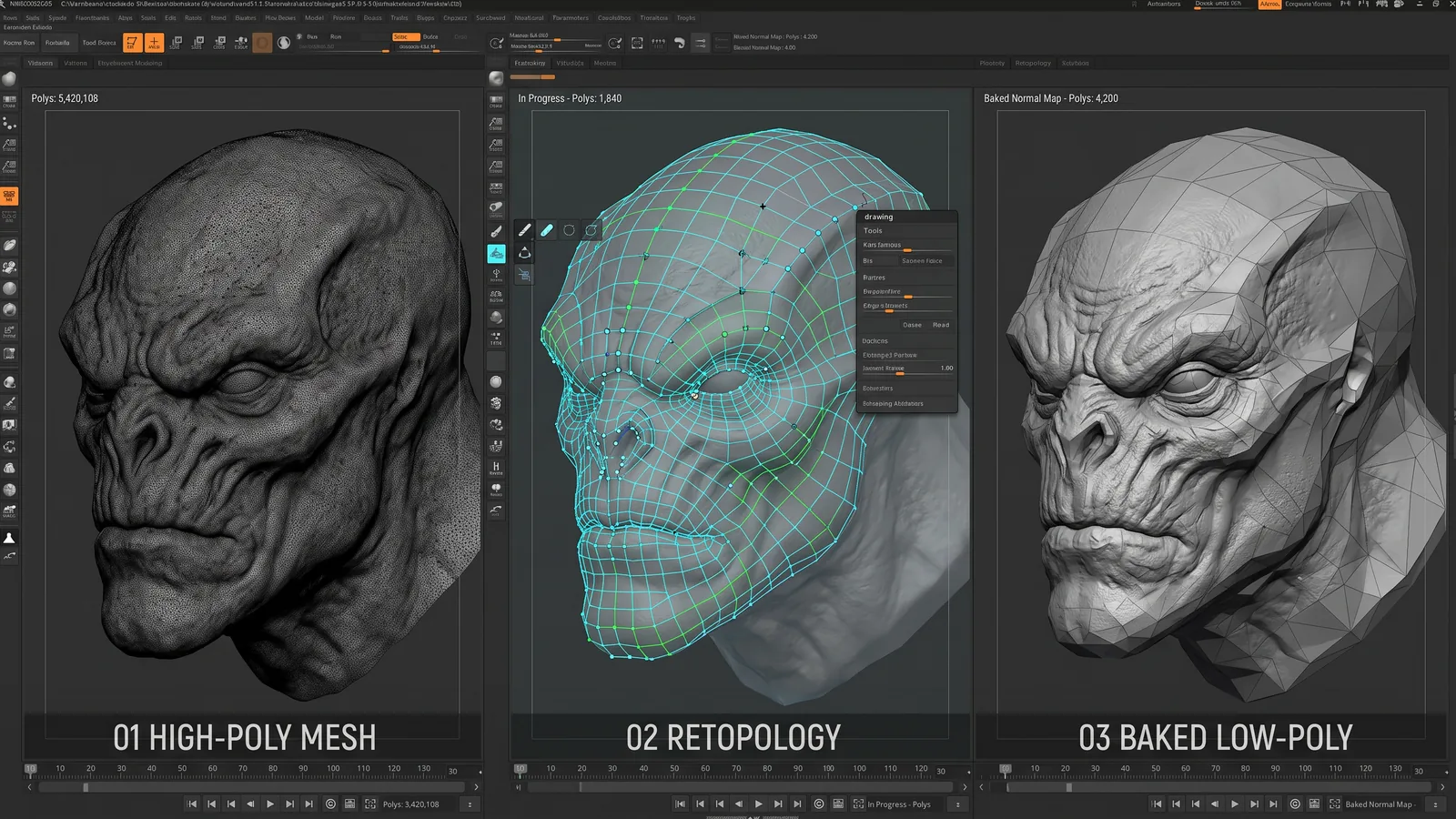
Retopology. When a high-resolution photogrammetry scan is retopologized to create a production mesh, the work is done on the scan in a neutral pose. A model in a dynamic pose cannot be retopologized cleanly because edge loops cannot follow anatomical structure correctly when the body is twisted or folded.
Clothing and accessory fitting. Garments are modeled onto the base figure in a neutral pose, then simulated into the final position. A figure in a dynamic pose cannot receive clothing correctly because the contact and compression points are already committed.
Baking and texture transfer. Transferring textures from a high-resolution scan to a game-ready mesh requires both meshes to be in the same pose. A-pose is the standard choice because it minimizes surface contact between body parts.
What low-poly means and why it matters
Low-poly (low-polygon) is a relative term that describes models with significantly fewer polygons than high-resolution source assets. The specific polygon count considered “low” depends on the application:
Game characters. Main player characters in modern games: 15,000–50,000 triangles. Crowd figures: 500–3,000 triangles. VR figures: 5,000–15,000 triangles depending on the headset.
Real-time arch viz. Figures placed in Unreal Engine or Unity for architectural walkthroughs: 5,000–20,000 triangles. The figure needs to look correct at a 2-3 meter viewing distance without breaking the frame rate of the walkthrough.
Web 3D. Figures for browser-based 3D viewers (GLTF in WebGL): 5,000–10,000 triangles to maintain 60fps on average hardware.
Mobile. Mobile game and app figures: 1,000–8,000 triangles depending on the target device.
The tradeoff is always between visual quality and render/frame performance. A 50,000-triangle figure looks better than a 5,000-triangle figure, but costs ten times as much per frame. At crowd scale, this difference becomes prohibitive.
Why photogrammetry scans need retopology for game use
A raw photogrammetry scan has an irregular, dense mesh that is unsuitable for game use. The scan captures geometry at the resolution of the photogrammetry reconstruction, which produces:
– Irregular polygon distribution (high density in complex areas, wastefulness elsewhere) – Non-manifold geometry at thin features (fingers, ear edges) – No edge loops following anatomical structure – Polygon counts typically in the millions
Converting this to a game-ready mesh requires retopology: rebuilding the mesh over the scan surface with intentional, anatomically correct edge loops and a significantly reduced polygon count. The retopologized mesh then has the high-resolution texture baked from the original scan onto a normal map.
This process is what distinguishes a “game-ready” scan from a raw scan. A model marketed as game-ready should have undergone this retopology and baking process.
What to check when purchasing A-pose or low-poly models
For A-pose base meshes: – Confirm the model is in A-pose (not T-pose) if shoulder deformation quality matters for your rig – Verify the polygon count is appropriate for the intended use – Check that the UV layout is usable — overlapping or heavily distorted UVs require significant cleanup – Confirm whether a cleaned, watertight mesh is provided or whether the raw scan geometry is included
For low-poly game-ready models: – Verify the triangle count against your engine’s performance budget – Confirm that a baked normal map, roughness map, and albedo are included – Check that the mesh includes a rig if animation is required, and verify the rig hierarchy is compatible with your engine’s animation system – Confirm LOD levels if the model will appear at multiple distances in the same scene
For arch viz real-time use: – Verify the model works at the typical walking distance in a walkthrough – Confirm the format is compatible with your rendering engine (GLTF for Unreal/Unity, specific formats for Enscape and Lumion) – Check whether the figure includes a walk animation cycle if the walkthrough requires moving figures
The Renderbot library includes both high-resolution photogrammetry scans in A-pose for use as base meshes and retopologized game-ready models in formats compatible with major real-time and offline rendering pipelines.
Comments
No comments yet.