


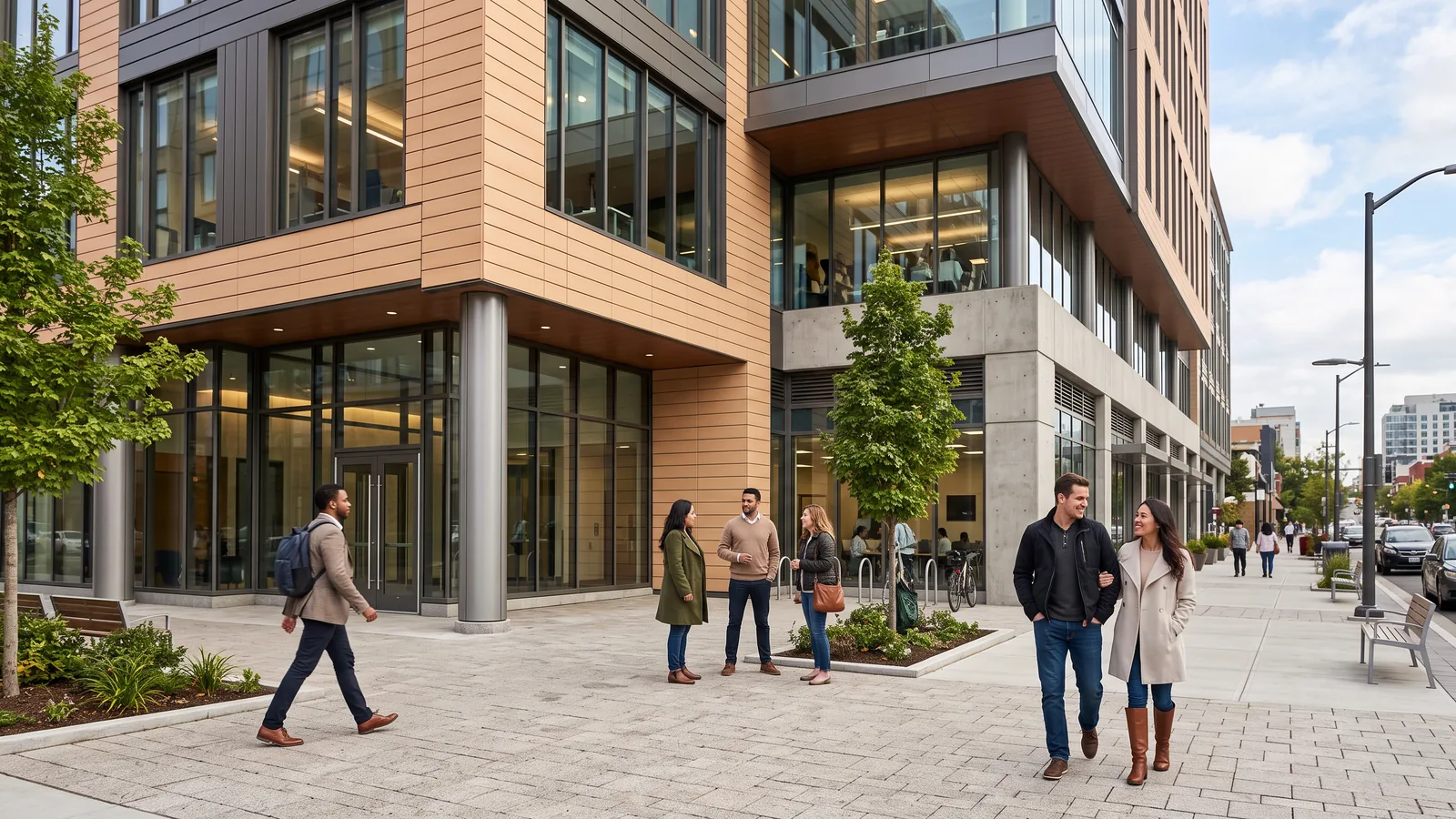
Entourage is the term architects and visualizers use for the supporting cast of a render: trees, cars, street furniture — and people. Among these, human figures are the most critical entourage element. They establish the building’s social context, define the audience for the project, and create the illusion that the space is alive. This guide covers every variable that matters when selecting and placing 3D people for exterior architectural renders.
The Four Layers of an Exterior Scene
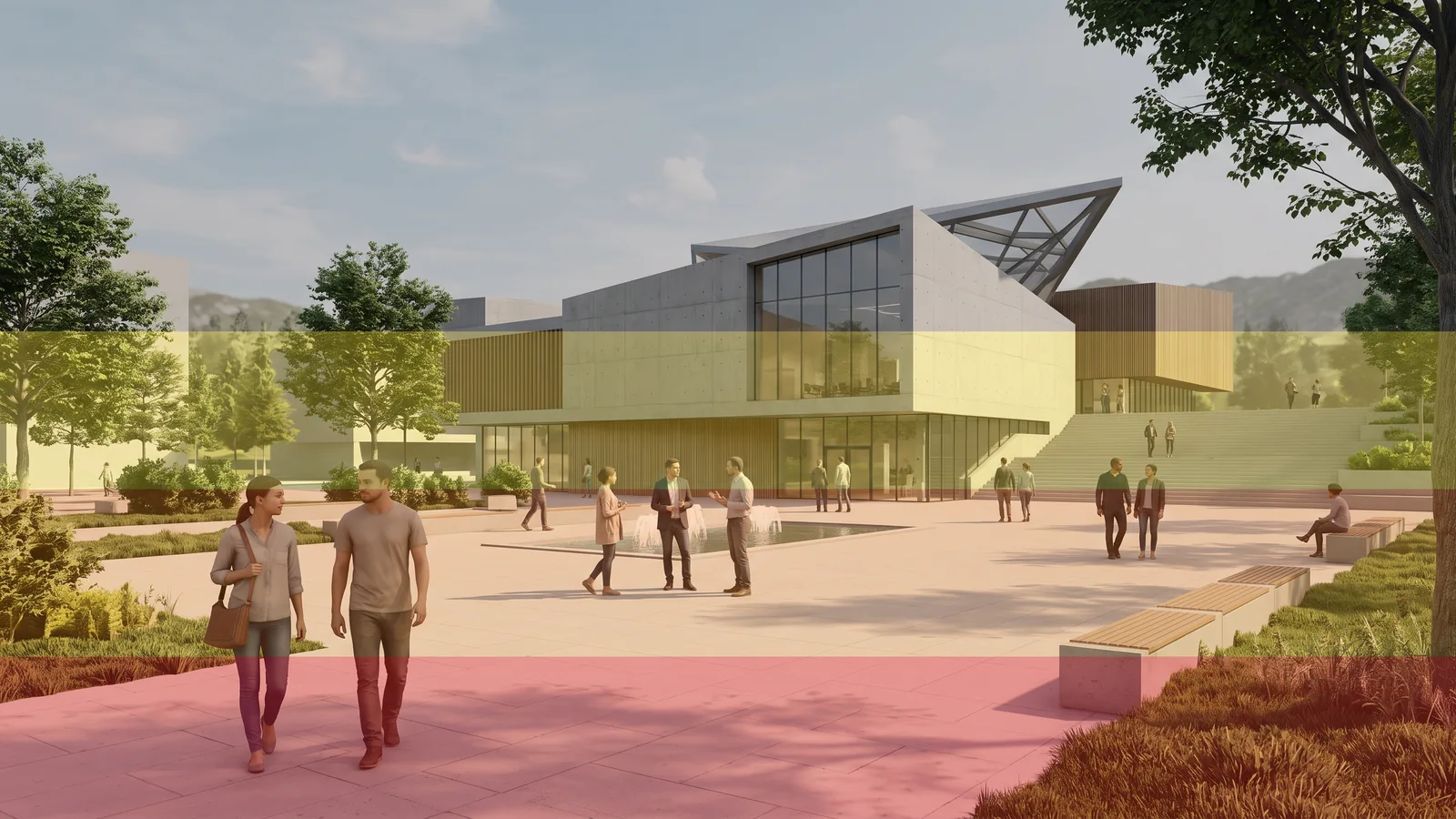
Professional visualizers think of people placement in four distance layers:
- Foreground (0–10 m from camera) — partial figure or close-up. High poly count essential. Face, clothing texture and footwear all visible.
- Near mid-ground (10–25 m) — full figure, clearly readable. Full PBR material required. This is the layer that communicates the lifestyle narrative.
- Far mid-ground (25–50 m) — small figures, silhouette-dominant. Can use decimated meshes (50–80k polygons).
- Background (50 m+) — often 2D cutouts or very low-poly proxies are sufficient. No PBR detail needed.
Matching figure quality to the layer avoids unnecessary scene weight. Use high-resolution photogrammetry models from Renderbot’s people collection for foreground and near mid-ground, and decimated versions or silhouettes beyond that.
Pose Variety and Social Clusters
The most common beginner mistake in exterior renders is placing identically posed figures at regular intervals — it immediately reads as artificial. Real crowds have an internal logic:
- Direction of travel — people move with purpose. All figures at the same scale moving generally in the same direction looks more natural than a scattered arrangement.
- Social groupings — pairs talk or walk together; solo individuals move faster or stop to look at something; small groups (3–4) tend to cluster at building entrances.
- Speed variation — a seated figure near a café suggests slow pace; a walking figure with a bag suggests commuter movement. Mixing these rhythms adds believability.
Tip: Use an odd number of total figures in an exterior composition (5, 7, 9). Even numbers create visual symmetry that feels arranged; odd numbers feel like a captured moment.
Scale Is Non-Negotiable
A figure that is 5% too tall or too short reads subconsciously wrong to any viewer. For exterior renders, run this check: place your figure next to a standard door opening (2.1 m) or a standard floor-to-ceiling height (2.7–3 m). If the figure does not read correctly next to those references, correct it before placing entourage.
Renderbot photogrammetry models are scanned at real scale — adult figures average 1.72–1.80 m in source units. No manual height correction should be needed after import, but always verify with a reference object in your scene.
Shadow and Lighting Consistency
Shadow direction is the most visible sign of a composite entourage figure. If your sun is at 45° from the left, all figures must cast shadows to the right at the same angle and roughly the same length ratio to their height. 3D scanned figures with no baked lighting let your renderer calculate this automatically — which is the main reason to use 3D models over 2D cutouts for foreground entourage.
For V-Ray and Corona, check Ray-traced shadows are enabled on figure materials. Some imported OBJ materials default to a non-shadow-casting state.
Clothing and Scene Context
High-end residential
Choose figures in minimal, well-fitted clothing — neutral colours, no logos. Avoid sports gear or workwear. The lifestyle message is relaxed affluence.
Commercial / mixed-use
A broader clothing mix works here: business attire near office entrances, casual near retail, sport near gyms. The mix communicates that the building serves a diverse user group.
Public realm / urban
Maximum variety. Use figures from different collections — varying gender, apparent age, clothing style, and movement speed. A street scene with 8 figures should have at least 6 distinct models.
Formats for Exterior Renders
- 3ds Max + V-Ray — import OBJ. Use V-Ray Proxy for background figures to manage scene size.
- Cinema 4D + Corona — FBX recommended; Corona proxy system handles multiple instances efficiently.
- Blender + Cycles — OBJ; use Instances (Ctrl + L) for repeated figures at different positions.
- Unreal Engine 5 — FBX with Nanite for foreground; mesh LODs for background.
Summary
- Place high-quality photogrammetry models in foreground and near mid-ground only.
- Group figures in natural social clusters — pairs, small groups, solo walkers.
- Use odd total numbers of figures for a natural, unposed look.
- Verify scale against a known reference object before final render.
- Use 3D models (not cutouts) for any figure within 30 m of camera — shadows must compute correctly.
Comments
No comments yet.