


The answer depends entirely on what you want to scan.
A professional human scanning studio — the kind that produces production-ready scanned people for game and film studios — uses hundreds of synchronized cameras, controlled lighting rigs, and weeks of post-processing. Replicating that at home is not realistic. The cost of the hardware alone starts in the hundreds of thousands.
But photogrammetry for objects, architectural details, props, and environments is a different matter. That is genuinely achievable on a hobbyist budget, and the results can be surprisingly good for the right applications.
What home photogrammetry actually does well
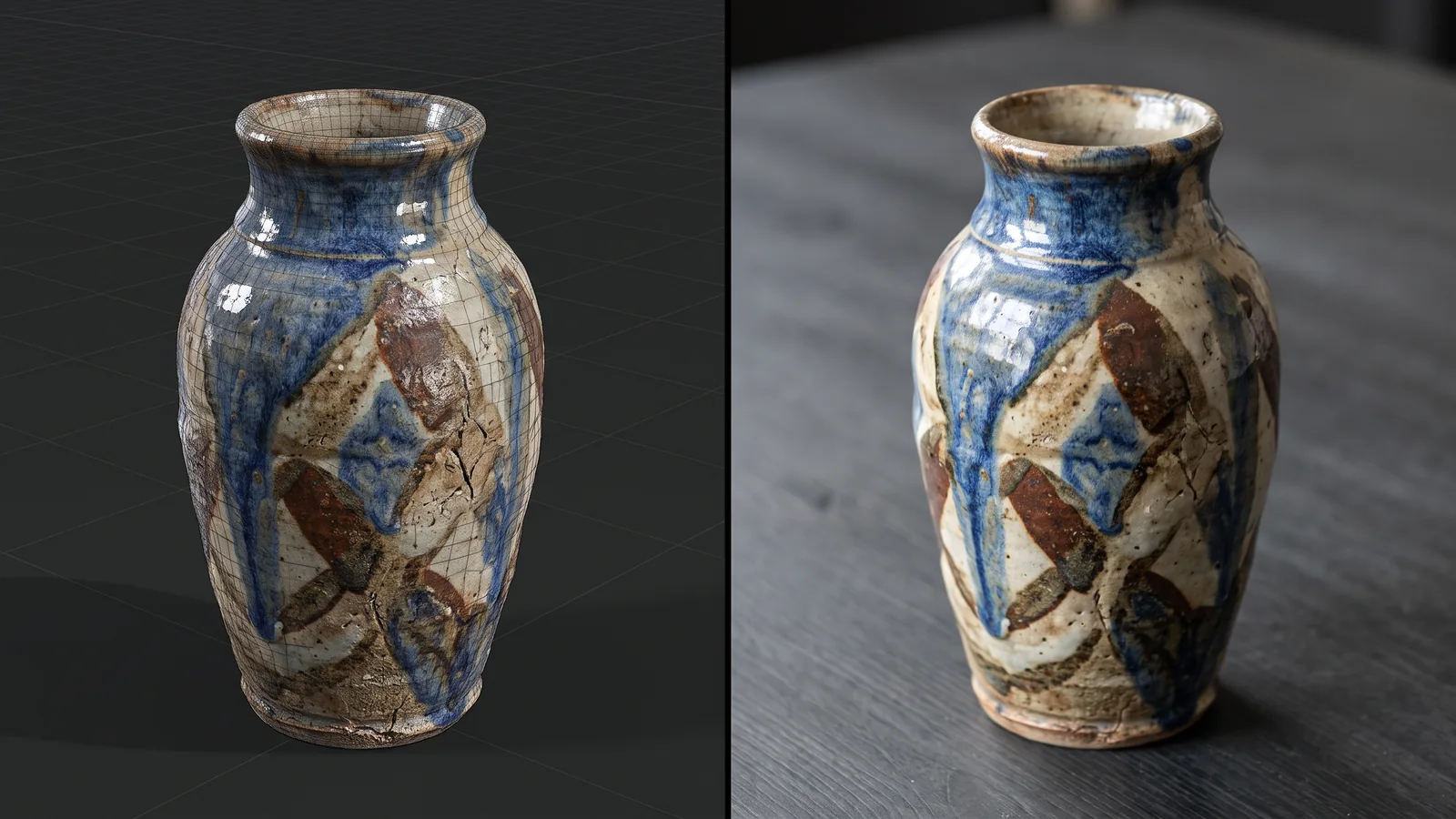
Small to medium objects. A shoe, a chair, a piece of furniture, a ceramic bowl. Any object you can walk around or place on a turntable. This is where home photogrammetry produces its best results.
Architectural details. A carved stone column, a decorative tile pattern, a weathered brick wall. Close-up textures and normal maps from real surfaces.
Exterior environments. A specific tree, a pile of rocks, a garden feature. Outdoor scanning with available light works well for natural objects.
Props for game and film. Many game studios supplement their library with home-scanned props for environment details.
What home photogrammetry does poorly
Humans and animals. Movement during capture produces artifacts. A professional rig fires all cameras simultaneously precisely to eliminate this problem. With a single camera on a turntable or walking around a subject, any movement creates reconstruction errors. Human facial detail is essentially impossible with single-camera setups.
Reflective and glossy surfaces. Photogrammetry software reconstructs geometry from matched features across images. Reflective surfaces have no stable features — the reflection changes with the camera angle, confusing the reconstruction. Metal, glass, and glossy plastics require matte powder coating to scan.
Hair and fur. The same problem: no stable surface features.
A minimal viable setup
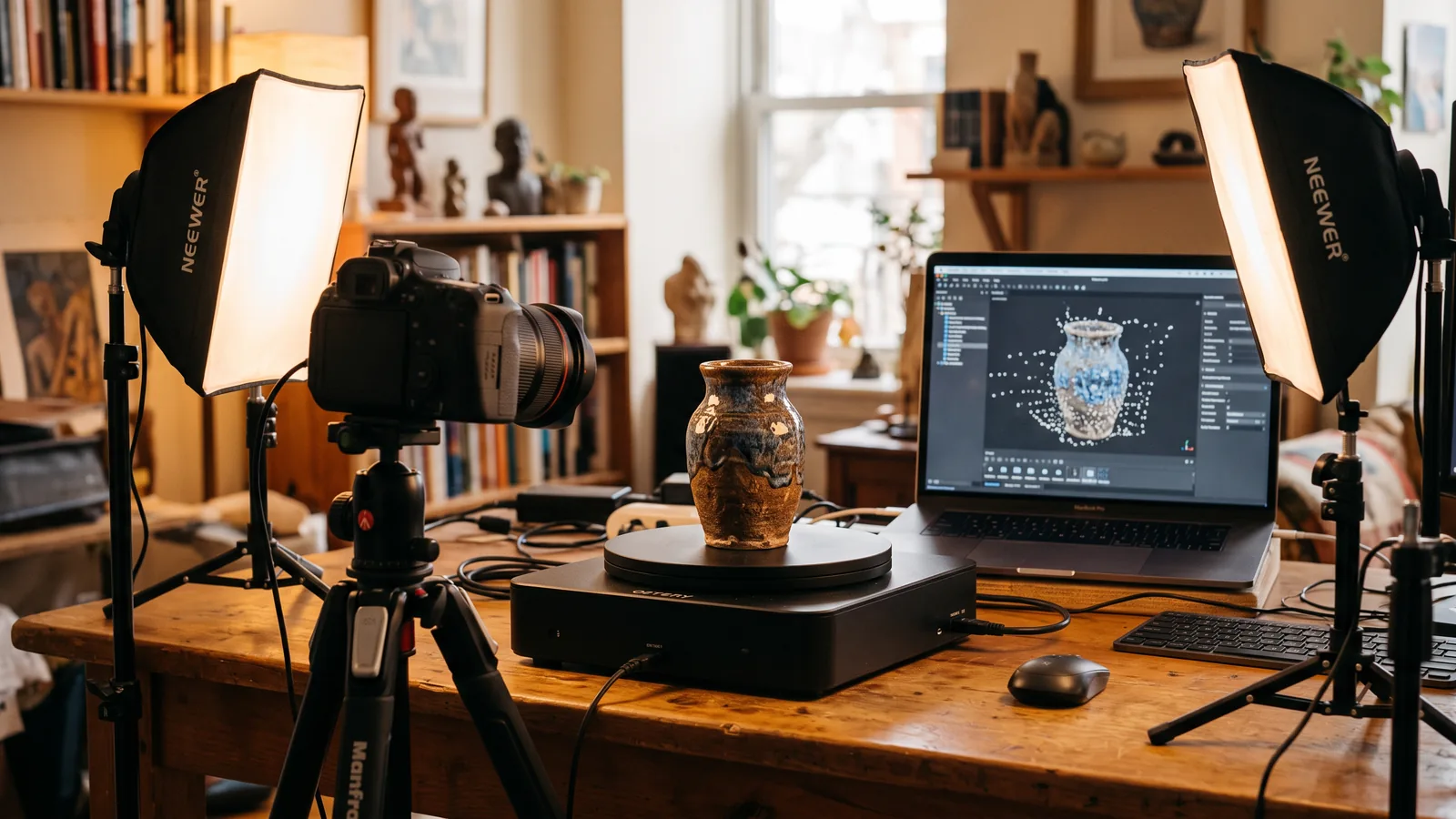
Camera: Any DSLR or mirrorless with a 50mm equivalent lens. The camera does not need to be expensive — consistency matters more than megapixels. A 24MP entry-level DSLR is fine.
Lighting: Soft, even, diffuse light. Two softboxes or a cloudy-day exterior. Hard shadows create inconsistent features across images and confuse the reconstruction. Never photograph in direct sunlight for photogrammetry.
Turntable: A manual or motorized lazy Susan. For object scanning, rotating the object while the camera stays fixed is usually easier than walking around it.
Software: RealityCapture (Windows, free for under $2,500/year revenue) — the fastest and highest quality option. Agisoft Metashape (~$180 for standard license) — most widely used in professional pipelines. Meshroom — free, open-source, good starting point.
When to buy instead of scan
For human figures, buying from a professional scan library is not just more convenient — it is the only practical option for production-ready results. The gap between what a professional studio produces and what is achievable at home is not bridgeable with consumer hardware.
For everything else, home scanning is a legitimate and cost-effective option. See our full library of professionally scanned 3D people for arch viz and game development use.
Comments
No comments yet.