


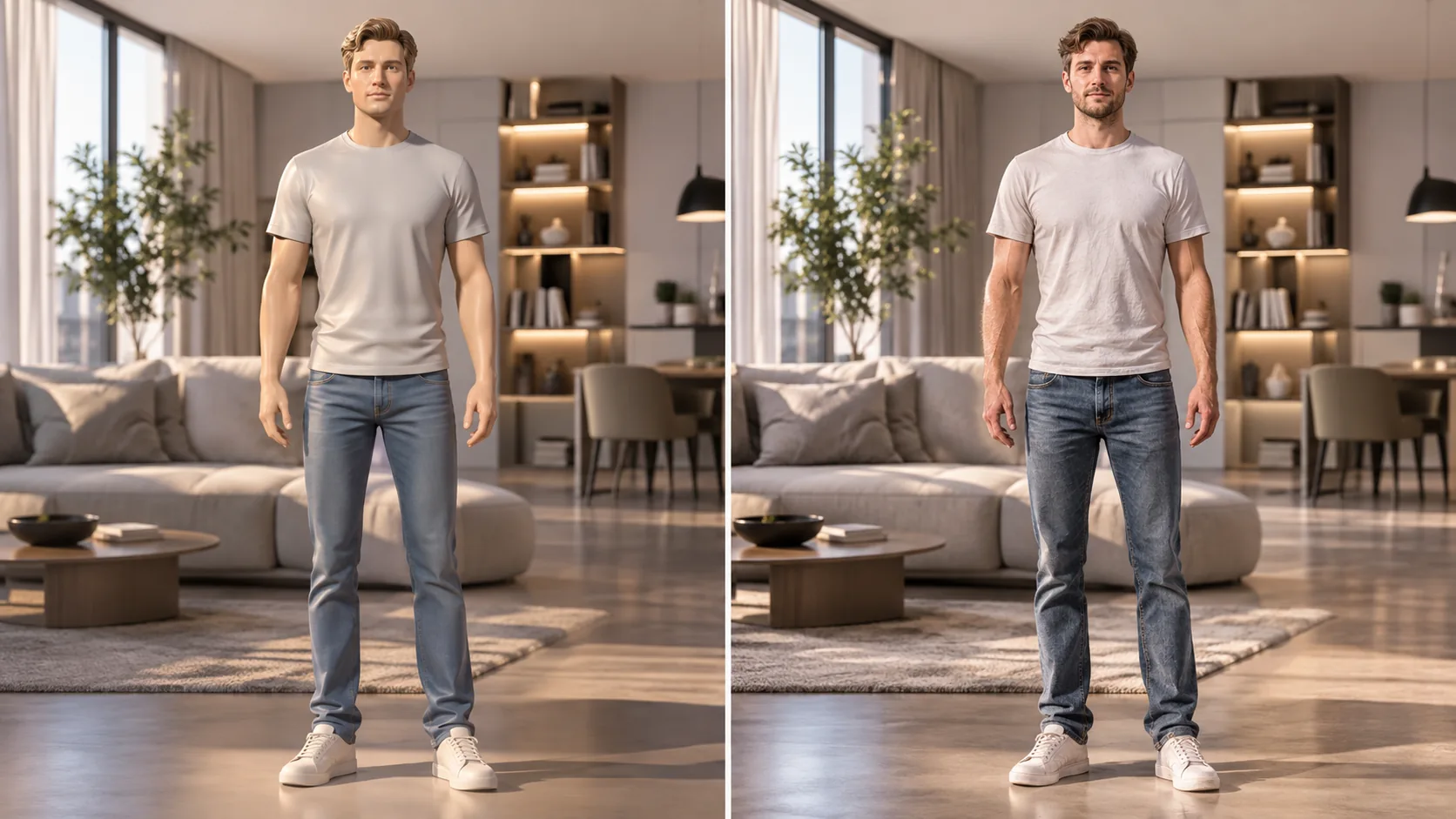
There is a moment every arch viz artist knows. You have spent three hours on a scene — lighting is perfect, materials are dialed in, the building looks exactly right. Then you drop in a human figure and something goes wrong. The scene stops feeling real. The person looks like they are from a different universe.
That is the uncanny valley tax. And for most of arch viz history, we have just accepted it.
What hand-modeled humans cannot fix
A skilled modeler can build a convincing human figure. The topology is clean, the proportions are right, the rig deforms properly. But there is a ceiling — and it is the skin.
Human skin is not a uniform surface. It has pores, micro-wrinkles, subsurface variation, the faint blue of veins near the wrist, the redness around the nose. These are not things you model. They are things you observe. No matter how good a texture artist is, they are approximating what a camera would capture directly.
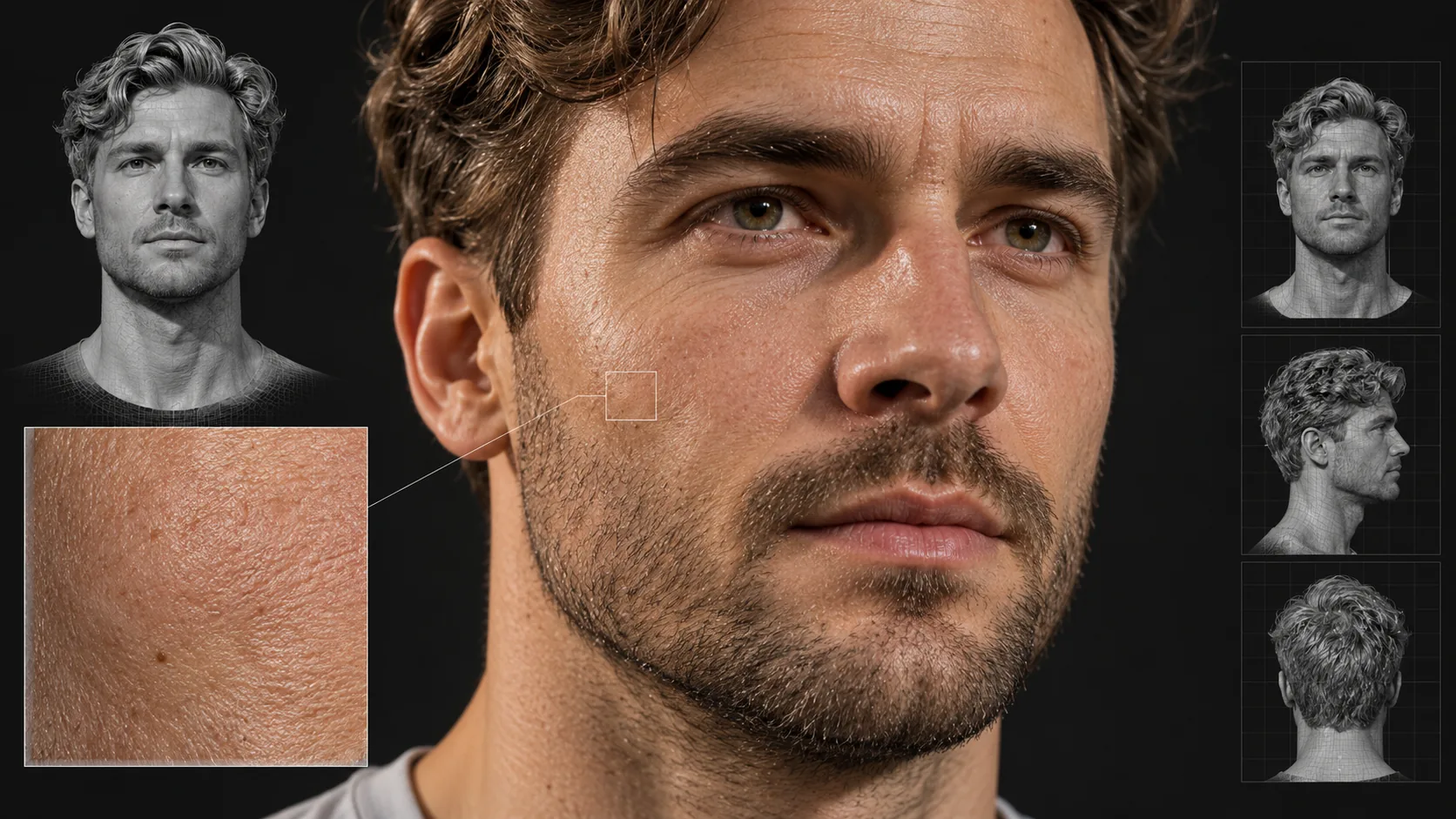
Photogrammetry does not approximate. It captures.
How the scan pipeline actually works
Modern photogrammetry uses a rig of 100-300 synchronized cameras that fire at exactly the same millisecond. The subject stands in the center. Every camera captures the same instant from a different angle. Software reconstructs the geometry and texture from that data.
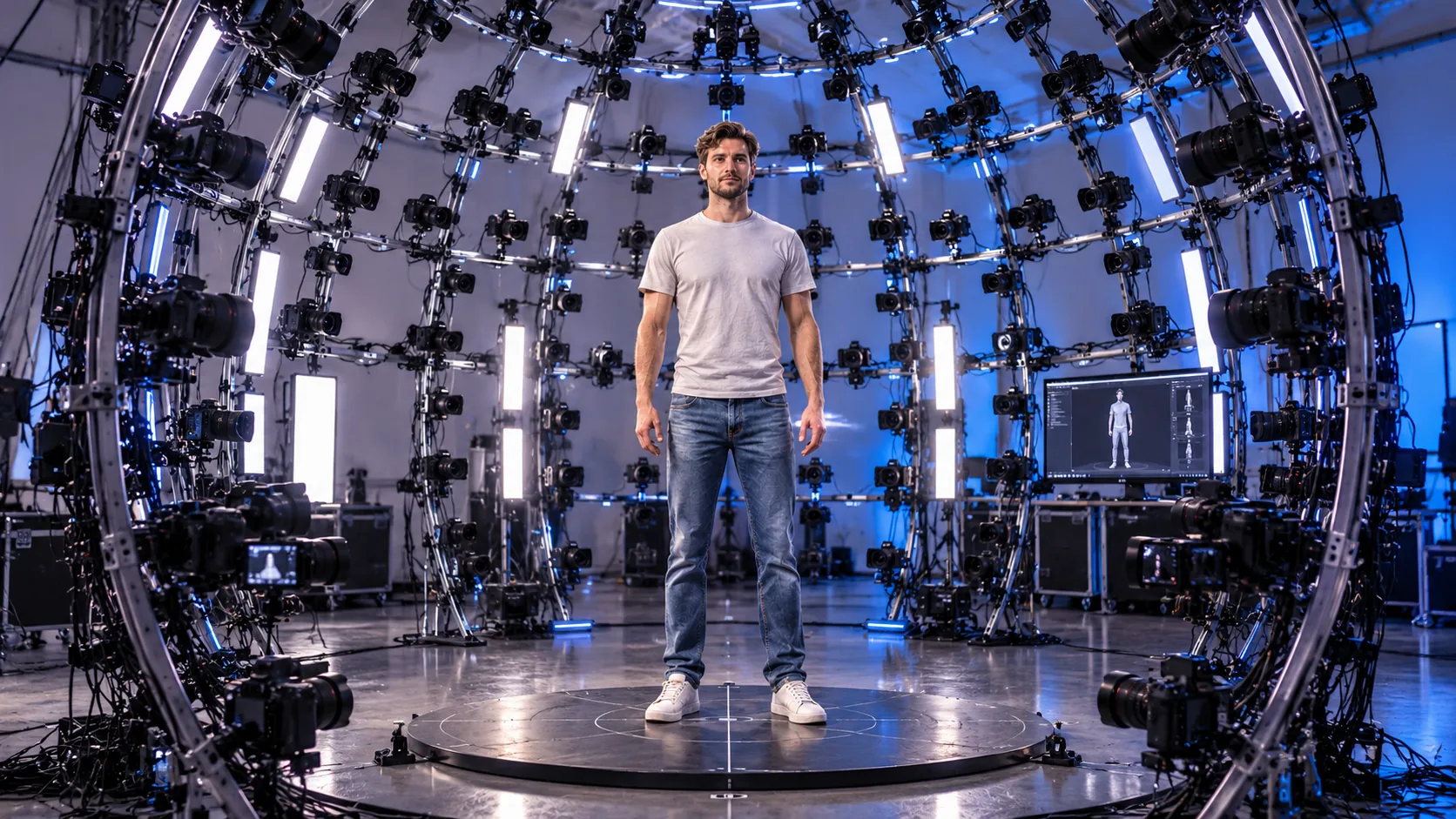
The result is a mesh with captured — not painted — surface detail. The texture resolution is high enough that pores are visible at close range. The subsurface scattering of real skin is baked into the albedo in a way that responds correctly to light.
When you drop a scanned model into your scene, the lighting engine already knows what to do with it. It is not guessing.
The practical difference in a render
Believability at close range. Hand-modeled figures work at distance. The moment a camera gets within 3-4 meters of a figure in a render, the cracks show. Scanned human models hold up at 1 meter — the skin, the clothing, the shadows all behave correctly.
Less time in post. Artists who switch to scanned models typically report spending 30-50% less time on figure touch-ups in Photoshop. The model just reads correctly.
Client reactions. Clients who see scanned figures in renders sign off faster. The figures do not pull focus the wrong way. If you are working on interior scenes, also check our article on 5 common arch viz mistakes that undermine even technically correct renders.
What hand-modeled still does better
If you need a specific pose that a scan library does not cover, a rigged hand-modeled character is still the right tool. If you need a stylized or illustrated look, same answer. For still renders and walkthroughs — which is most of arch viz interior work — scanned models are simply more accurate.
The cost argument has changed
Three years ago, high-quality scanned models cost $30-80 per figure. That has shifted. Per-model prices have dropped significantly, collections bring the cost per figure well under a dollar in some cases, and libraries now cover hundreds of people across different ages, builds, and contexts.
If you want to test the difference yourself, browse our full library of scanned 3D people — most are available as individual downloads, so you can drop one into your next scene before committing to anything. Filter by context: people, interior scenes, exterior and urban, or business situations. For questions about formats and compatibility, visit the Help Center.
Comments
No comments yet.